
AI Photo Enhancer — Fast Face Restore
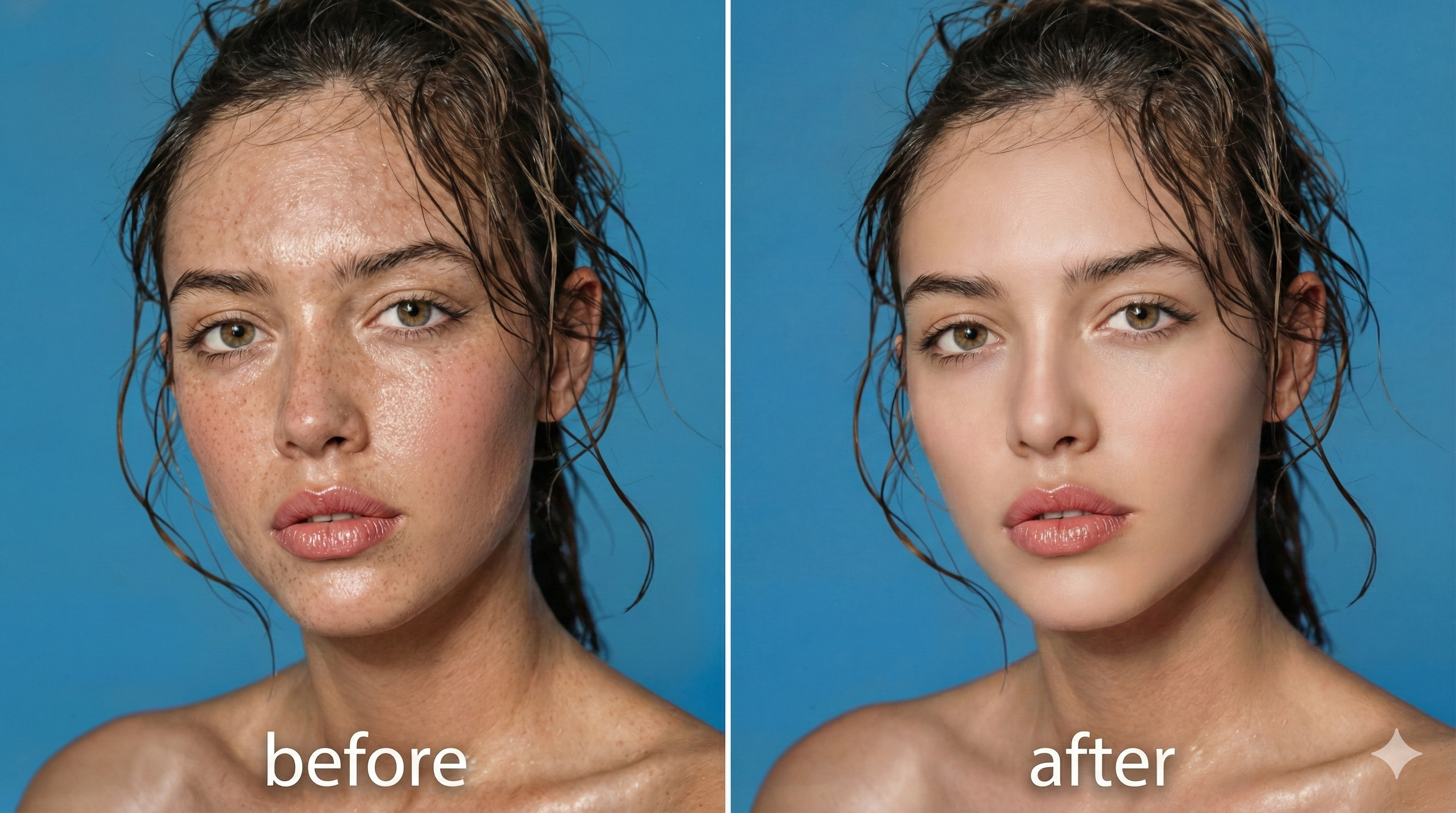
Use AI Photo Enhancer to quickly remove blur, reduce noise, sharpen details and colorize photos while keeping natural skin texture.
Feedback
AI Tools
Explore our AI-powered tools.
Seedance2.0
The Future of AI Video Is Here.
Free AI Image
Truly Free AI Image Generator

Veo3.1
Create Stunning Videos with Veo3.1
Sora2 AI
Advanced AI Video Generator for High-Quality Videos

Kling3.0
Next-Gen AI Video Generator
Kling 3.0 Motion Control
Turn reference images into amazing motion videos in minutes
Kling 2.6 Video Generator
See the Sound, Hear the Visual.
Grok Video Generator
Create Videos from Text or Images with AI
How AI Photo Enhancer Works
AI Photo Enhancer restores photos in three quick steps: upload, auto-detect, and smart restore for natural results.
AI Photo Enhancer FAQ
Common questions about AI Photo Enhancer: features, speed and quality.
What is AI Photo Enhancer?
AI Photo Enhancer quickly restores and enhances photos while preserving natural skin texture.
Which problems can it fix?
AI Photo Enhancer handles blur, blemishes, scratches, discoloration and low-res artifacts.
How long does it take?
AI Photo Enhancer usually finishes in 1–2 minutes, depending on image size.
Will results look natural?
Yes — AI Photo Enhancer preserves pores and facial structure for realistic results.
Commercial use
Licensing depends on your plan; check terms for AI Photo Enhancer outputs.
Why choose it?
AI Photo Enhancer is fast, face-aware and good for print, e-commerce and sharing.
Start Using AI Photo Enhancer Today
Turn old or imperfect photos into high-quality portraits with AI Photo Enhancer — professional face restoration and upscaling made simple.